
Key Takeaways
- Modern preschools build trust with parent communication software that makes daily updates reliable and transparent.
- All-in-one preschool management solutions unify messaging, billing, and learning visibility into a single source of truth.
- Consistent routines and predictable two-way communication increase retention, referrals, and overall parent confidence.
- Robust data privacy and role-based access controls demonstrate professionalism and safeguard sensitive information.
Table of contents
- Why Parent Confidence Is a Core Growth Driver for Preschools
- What Parents Expect Today: Transparency, Speed & Safety
- Where Trust Breaks Down in Traditional Communication
- How a Preschool Management App Improves Parent Engagement
- Building Consistent Communication Routines
- Data Privacy & Responsible Sharing
- Measuring Parent Confidence: Feedback, Retention, Referrals
- Conclusion: Turning Communication into Trust
- FAQ
Why Parent Confidence Is a Core Growth Driver for Preschools
Implementing parent communication software in today’s preschools is one of the fastest ways to build real parent confidence-because it turns everyday updates into a clear, consistent routine families can rely on.
Parents are not just looking for “more messages.” They want a simple, reliable way to see what’s happening (learning + care), what’s needed (forms + policies), and what’s owed (fees). That’s why many schools now invest in preschool management software that works like an all-in-one preschool management solution-often through a preschool management app that makes daily communication easy for staff and parents.
When communication becomes timely, transparent, and privacy-conscious, trust goes up. And when trust goes up, you usually see better retention and more referrals-without burning out teachers or admins.
Parent confidence is not a “nice-to-have.” It’s a growth driver.
When families feel secure and informed, they are more likely to:
- Stay enrolled longer (higher retention)
- Partner with educators instead of working around them
- Recommend your preschool to friends (stronger word-of-mouth)
This is where parent engagement in preschool really matters. Engagement works best when it’s a two-way relationship: teachers share what they see at school, and parents share what matters from home (sleep, routines, worries, medication notes). Confidence grows when that loop is steady-not random.
As your preschool grows, relying on memory, hallway chats, or “who saw that email?” becomes risky. Preschool management software helps you operationalize communication so it stays consistent even when staff are busy, substitutes step in, or enrollment increases-especially when you’re using scalable preschool software designed for growth.
A strong parent communication software setup also reduces friction in the places that cause the most stress:
- fewer disputes (“I never got that message”)
- fewer missed payments (clear invoices + reminders)
- fewer escalations (documented, calm communication)
In simple terms: trust becomes a system, not a guessing game.
What Parents Expect Today: Transparency, Speed & Safety
Parents now compare preschool communication to the apps they use everywhere else-banking, deliveries, appointments. They’re used to quick updates and clear records.
Most expectations fall into three buckets:
1. Transparency
- What did my child do today?
- How were they feeling?
- What are they learning-and why?
- What do I owe, and what did I already pay?
2. Speed
- pickup changes
- closures
- illness notices
- emergency updates
3. Safety
- controlled access to photos/videos
- clear consent rules
- no “random group chat” exposure
- confidence that their child’s info is handled professionally
This is why many schools don’t just buy a messaging tool. They look for an all-in-one preschool management solution that combines messaging, records, billing, and learning updates in one place. When families know where the truth lives, they trust it more-especially when the system is built around a single source of truth for preschool operations.
Where Trust Breaks Down in Traditional Communication
Traditional communication methods often start with good intentions. But as soon as your preschool gets busy (or grows), trust can break down-fast.
Paper notes, scattered emails, and informal messaging threads create confusion because they aren’t built for consistency, searching, or accountability.
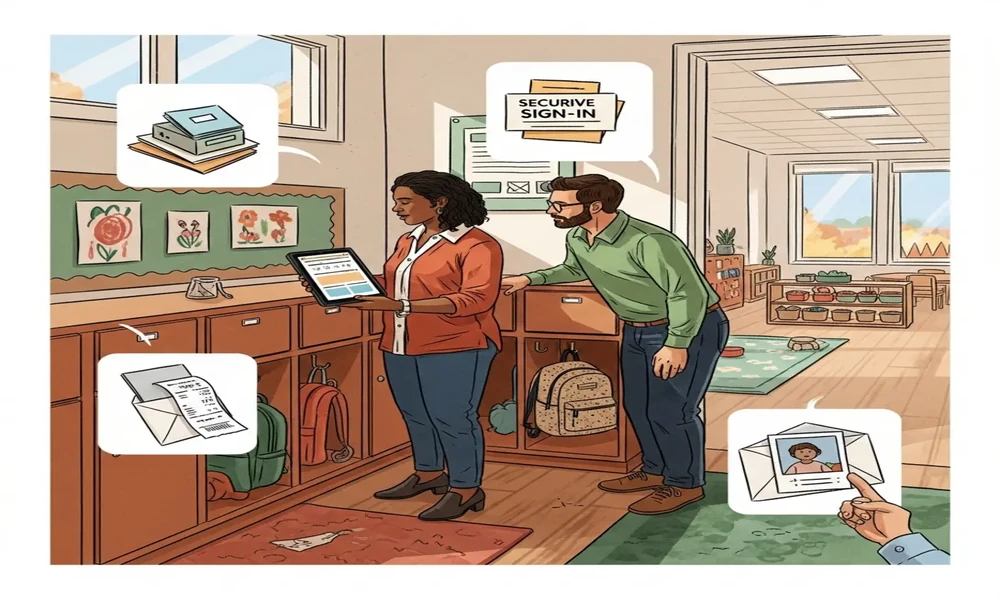
Missed updates, manual receipts, unclear policies
Here are the most common “trust leaks” preschools face:
- Missed updates
- A note goes into a backpack and never comes out
- A caregiver change happens and the message doesn’t reach the right adult
- A verbal update is forgotten by pickup time
- There’s no timestamped record, so families feel unsure
- Manual receipts and unclear payment history
- Parents can’t quickly confirm what they paid, what’s due, and when
- Staff spend time digging through spreadsheets or paper files
- Small confusion turns into big frustration
- Unclear policies
- A policy is “sent once” and then disappears into inbox clutter
- Families later disagree about what was communicated
- Staff feel forced into repeating the same explanations again and again
These are usually system failures, not effort failures. Your team can be caring and hardworking and still lose trust if communication lives in too many places.
This is exactly what parent communication software is designed to solve-especially when it’s delivered through a structured preschool management app that keeps everything organized. If you want to see how structured updates outperform hallway chats and verbal handoffs, this related article on why parents prefer structured updates breaks it down.
How a Preschool Management App Improves Parent Engagement
Once you understand where trust breaks, the fix becomes clearer: build one reliable communication flow that parents can follow without effort.
A preschool management app supports stronger parent engagement in preschool because it replaces scattered messages with a predictable system. Below are the key features that directly turn confusion into confidence.
Real-time updates (attendance, photos, activities)
Parents don’t need a novel at the end of the day. They need small, steady signals that their child is safe, cared for, and included.
A good system makes it easy to share:
- check-in and check-out timestamps
- meals, naps, toileting notes (where appropriate)
- daily activities and “what we worked on today”
- a few curated photos that show classroom life
That “in the loop” feeling reduces anxious follow-ups. Instead of calling the office for reassurance, parents can check the app and instantly feel grounded.
This is a major reason a preschool management app builds confidence: it creates transparency without creating extra chaos for staff.
Two-way communication and announcements
Healthy engagement is not one-directional. Parents need ways to share context from home, and teachers need ways to reply in a calm, documented way.
Strong parent communication software supports:
- 1:1 messaging
- quick notes that stay tied to the child’s record
- fewer “lost threads”
- clearer follow-up when multiple staff work with one child
- Broadcast announcements
- closures, events, reminders
- fewer manual phone calls
- consistent delivery to every family
- Targeted messages
- to one classroom, one age group, or one set of parents
- less noise for families who don’t need every update
This structure improves parent engagement in preschool because parents feel heard-not managed. It also protects staff time because communication becomes organized and repeatable. For more detail on the exact messaging, announcements, reminders, and feedback features, see these dedicated communication tools for preschools.
Fee transparency (invoices, receipts, reminders)
Billing confusion is one of the fastest ways to damage trust-even when your care and teaching are excellent.
With modern preschool management software, families can have one clear place to:
- view invoices
- see due dates
- check payment status
- access receipts and history
- get reminders without awkward back-and-forth
That clarity reduces disputes and protects relationships. It also prevents your front desk from becoming a full-time billing help center.
When billing and communication sit together in an all-in-one preschool management solution, parents stop guessing. They can self-serve answers, and staff can focus on children.
Learning visibility via LMS
Parents don’t just want to know that their child was “fine.” They want to understand what their child is learning and how progress happens over time.
When your app connects communication with learning visibility-lesson themes, skill milestones, and classroom goals-parents feel stronger confidence in your educational value.
One practical way to do this is to connect daily updates with a dedicated learning hub. If you want a deeper look at how learning updates can be organized and shared, explore this interactive preschool learning management system that explains how lesson plans and progress can be made visible to families.
This kind of visibility strengthens parent engagement in preschool because it bridges school and home:
- parents can reinforce themes at home
- caregivers understand the “why” behind activities
- families see learning as intentional, not accidental
And when parents can see learning clearly inside a preschool management app, trust grows naturally.
Building Consistent Communication Routines
Tools create capability. Routines create trust.
Even the best all-in-one preschool management solution won’t build parent confidence if communication is random. Parents feel safe when updates are predictable.
Here are practical routines that work well in real preschools:
Daily (keep it short)
- attendance confirmation (checked in / checked out)
- 1-3 highlights (activity, mood, a classroom moment)
- one photo when possible (quality over quantity)
Weekly (give the bigger picture)
- weekly theme recap (topic, songs, books)
- skills practiced (social skills, fine motor, early literacy)
- what’s coming next week (events, supplies, schedule changes)
Policy acknowledgments (reduce “I didn’t know” moments)
Use digital forms when possible so families can:
- read key policies (health rules, pickup rules, media permissions)
- acknowledge receipt
- revisit them later without searching old emails
Response-time boundaries (protect staff and reduce anxiety)
- “Messages answered within 24 business hours”
- “Urgent items should be called in”
This prevents burnout and reduces parent stress. When families know what to expect, they feel more secure.
If you’re building your processes from the ground up, it helps to understand what a centralized system should cover. This guide on the importance of a preschool management system breaks down why consistency gets easier when records and workflows live in one place. You may also find it useful to review how to overcome communication gaps between teachers and parents when setting routines across classrooms.
Data Privacy & Responsible Sharing
Parents can forgive a late reply. They struggle to forgive careless handling of child data.
Because preschools share sensitive information-photos, daily logs, attendance, family details-privacy must be part of your trust strategy, not an afterthought.
While specific legal requirements depend on your setting and how tools are used, many programs think through common U.S. considerations like student record privacy and children’s online privacy expectations (often discussed under FERPA/COPPA concepts). The takeaway is simple: get serious about access, consent, and retention.
Here are best practices parents notice immediately:
Role-based access
- Staff see only what they need (classroom-based permissions help)
- Parents see only their own child’s information
- Admin actions are limited to authorized roles
Clear photo/video permissions
- opt-in/opt-out per child
- easy to update preferences
- rules for when and how images are shared
Safe defaults
- avoid public posting by default
- limit downloading/sharing when possible
- keep media inside secure parent portals
Data minimization and retention
- don’t keep data longer than necessary
- archive or delete responsibly
- document what gets kept and why
Audit trails
- track who sent, edited, or acknowledged key information
- keep records for disputes and clarity
Strong parent communication software should support these practices, and strong preschool management software should make them easy to manage without extra spreadsheets. If you’re evaluating tools, this practical guide to digital safety in preschools covers what to look for in security, access controls, and safe defaults.
When families see privacy handled well, they interpret it as professionalism. Professionalism builds confidence.
Measuring Parent Confidence: Feedback, Retention, Referrals
If parent confidence is a growth driver, you should measure it like one.
You don’t need complicated analytics. Start with simple signals and track them over time.
Feedback (listen in small, regular ways)
- quick pulse surveys (2-4 questions)
- quarterly check-ins with room parents or family groups
- “Would you recommend us?” rating and open comment
Engagement metrics (signals of attention)
Depending on your parent communication software, you may be able to track:
- announcement open/read rates
- acknowledgement completion (policies, forms)
- event RSVP participation
- response time patterns (where bottlenecks happen)
These are real indicators of parent engagement in preschool-not just “likes” or friendly replies.
Retention (the clearest trust outcome)
- re-enrollment rates
- dropout timing (what month families leave)
- categorized reasons for leaving (cost, commute, communication, fit)
When communication improves, you often see fewer “surprise exits.”
Referrals (the trust multiplier)
- how new families heard about you
- which parent referred them
- how often referrals happen per classroom or cohort
Referrals are a strong sign that your daily communication is creating real belief in your program.
Conclusion: Turning Communication into Trust
Parent confidence doesn’t come from one big message. It comes from dozens of small moments that feel consistent, clear, and safe.
A modern preschool setup-combining a preschool management app with messaging, billing, and learning tools-turns communication into a reliable “single source of truth.” That’s what great parent communication software really provides: one place parents can go to understand their child’s day, confirm expectations, and stay connected without chasing staff.
When your system supports daily updates, two-way conversations, policy clarity, fee transparency, and learning visibility, you’re no longer relying on memory and heroics. You’re building trust through routine.
If you want to see how technology supports stronger relationships (not just more screen time), this overview of the benefits of technology in preschool education explains how digital tools can strengthen communication and learning when used responsibly. For a deeper look at how transparency and consistency compound into reputation over time, read how transparent digital communication builds long-term trust with preschool parents.
The bottom line: when you bring everything together into an all-in-one preschool management solution, parent confidence becomes easier to earn-and easier to keep. That shows up in steadier enrollment, calmer conversations, and more families proudly sending others your way.
FAQ
1. What is the biggest benefit of parent communication software?
Parent communication software streamlines updates and interactions, ensuring families receive timely, organized information that builds lasting trust in your preschool.
2. How do I ensure data privacy with a preschool management app?
Look for role-based access, secure photo sharing, and a clear privacy policy. Keep sensitive information within a protected portal and limit permissions to necessary staff.
3. Why is routine important in building parent confidence?
Predictable communication routines reassure parents that they’ll stay informed and involved. Consistent daily and weekly updates make them feel connected and more likely to remain enrolled.